
Fun Fonix › Phonics Games › Maze Maker
Phonics Maze Maker
Make printable phonics maze worksheets with 6, 9, or 12 content squares embedded in the maze. Use Fun Fonix images or enter your own text - students read, name, or answer as they work through the puzzle.
Because the path through the maze is unknown, students discover the content squares in a different order every time - they won't know which words they need to read or write until they find them. That's what makes this a genuine worksheet.
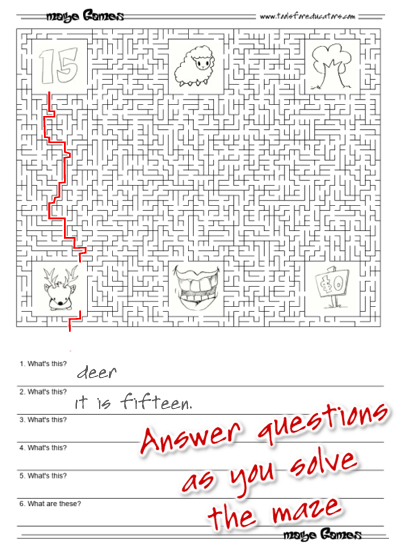
Images in the content squares - students name each one and answer questions as they solve the maze
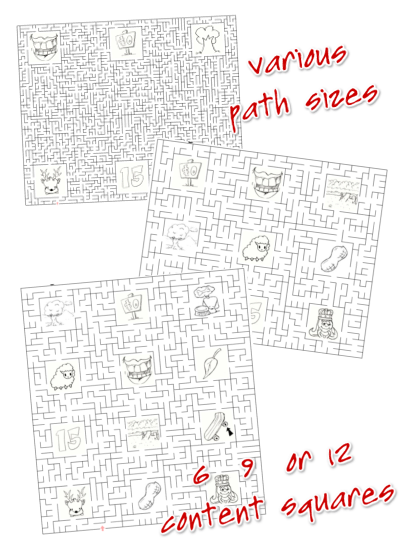
Choose 6, 9, or 12 content squares and adjust path size for different age groups
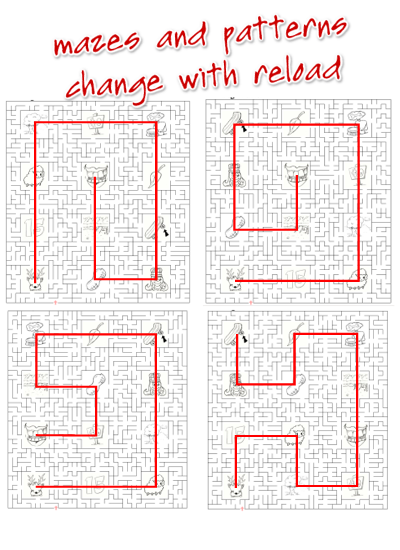
Every reload generates a new maze and new content square positions - no two puzzles are the same
Make a Maze with Images
Open the Maze Maker → Choose your category, content squares, and path size inside the makerPrefer to enter your own words or questions? The text version lets you type into the content squares directly - spelling words, phonics rules, short sentences, or questions for students to answer as they go.
Text Maze MakerHow to Use the Maker
Ideas for the Content Squares
Students name each image they encounter along their path and write the words below the maze in order - they won't know which words they'll need until they solve the maze.
Add questions below (6 and 9 square versions) tied to each image. Students answer as they find each square.
Enter words in the content squares. Students read each word and draw a picture of it below the maze.
Enter phonics words. Students read the word in each square and write a sentence using it below the maze.

You are free to use any resource from this site as an end user and MES grants you a free End User License. All resources are the property of Fun Fonix and anything made with Fun Fonix clipart remains the property of Fun Fonix. You may not save, redistribute, copy, modify, transfer, transmit, repackage, charge for or sell any of the materials from this site. Fun Fonix reserves the right to terminate or make changes to this agreement for any reason and without notice.
Copyright © 2006 - 2026 Fun Fonix and MES English | About | Help & FAQs | Sitemap | Privacy | Contact